
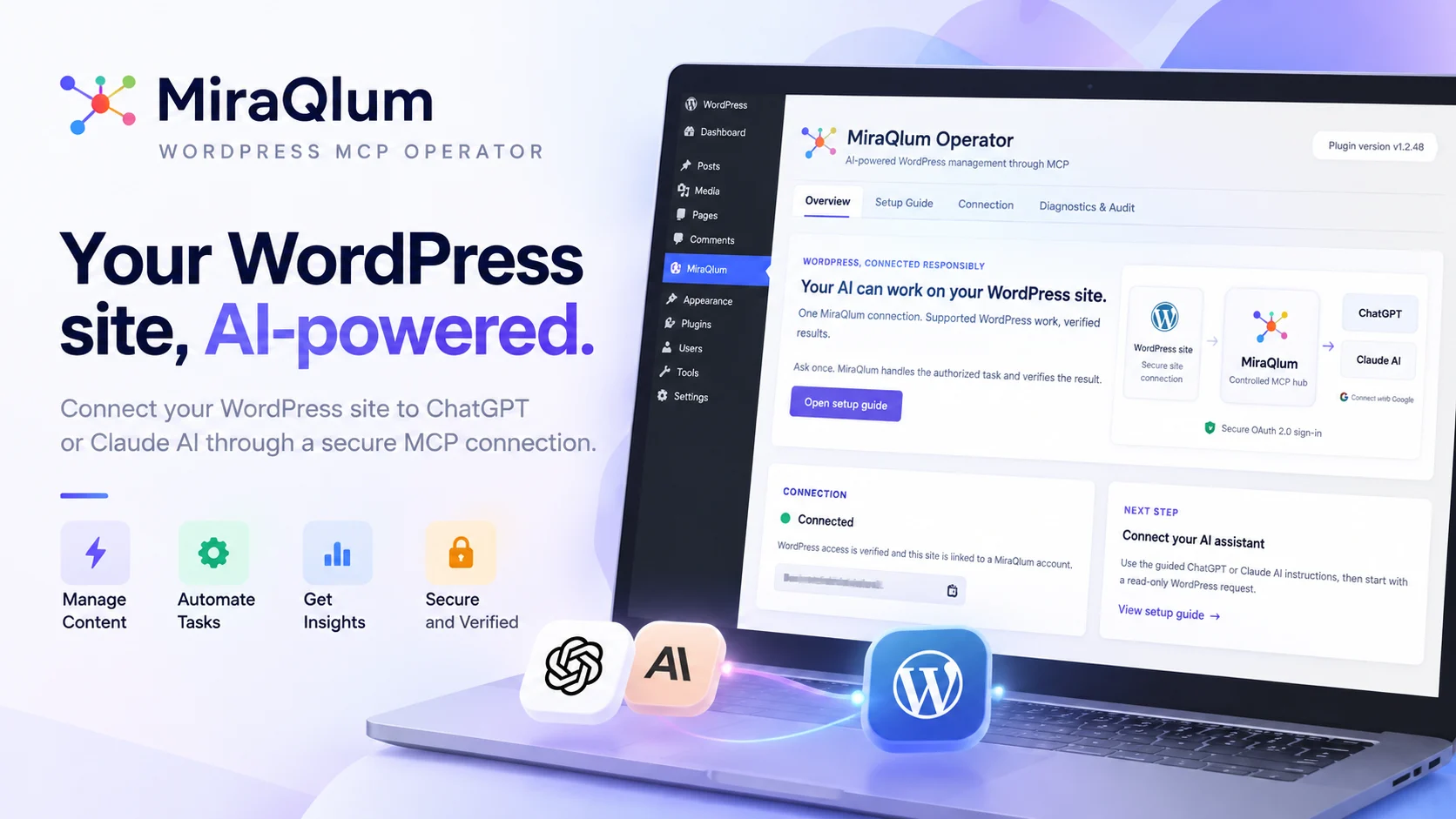
MIRAQLUM OPERATOR / WORDPRESS MCP
Your AI can work on your WordPress site. MiraQlum Operator connects WordPress to supported AI assistants through the Model Context Protocol. You describe the work, authorize the task and get a result checked against WordPress.
Built by miraQlum, our AI agency and business automation brand, this product brings a practical new way to manage WordPress content and supported site operations. The first public plugin submission is currently being reviewed by WordPress.org.
From a clear request to a verified WordPress result
WordPress work often crosses multiple screens. A page edit may require checking existing content, finding the right editor controls, saving changes and verifying the public result. MiraQlum Operator brings supported tasks into one accountable workflow while respecting the permissions of the connected site.
One authorized request can cover the necessary internal steps of the same bounded job. Your AI client still controls its own connection permissions. New work outside the original request or a materially higher-risk action may need separate confirmation.
Discover
Find the capabilities supported by the connected WordPress site, editor and installed plugins.
Work
Prepare and perform the specific task you authorized using an available WordPress integration.
Verify
Read back the saved result and report what is confirmed, incomplete or not yet supported.
A practical dashboard inside WordPress
The WordPress plugin gives site owners a focused starting point. Its Overview leads to setup instructions, connection status and technical diagnostics without making users learn a long list of MCP tools.
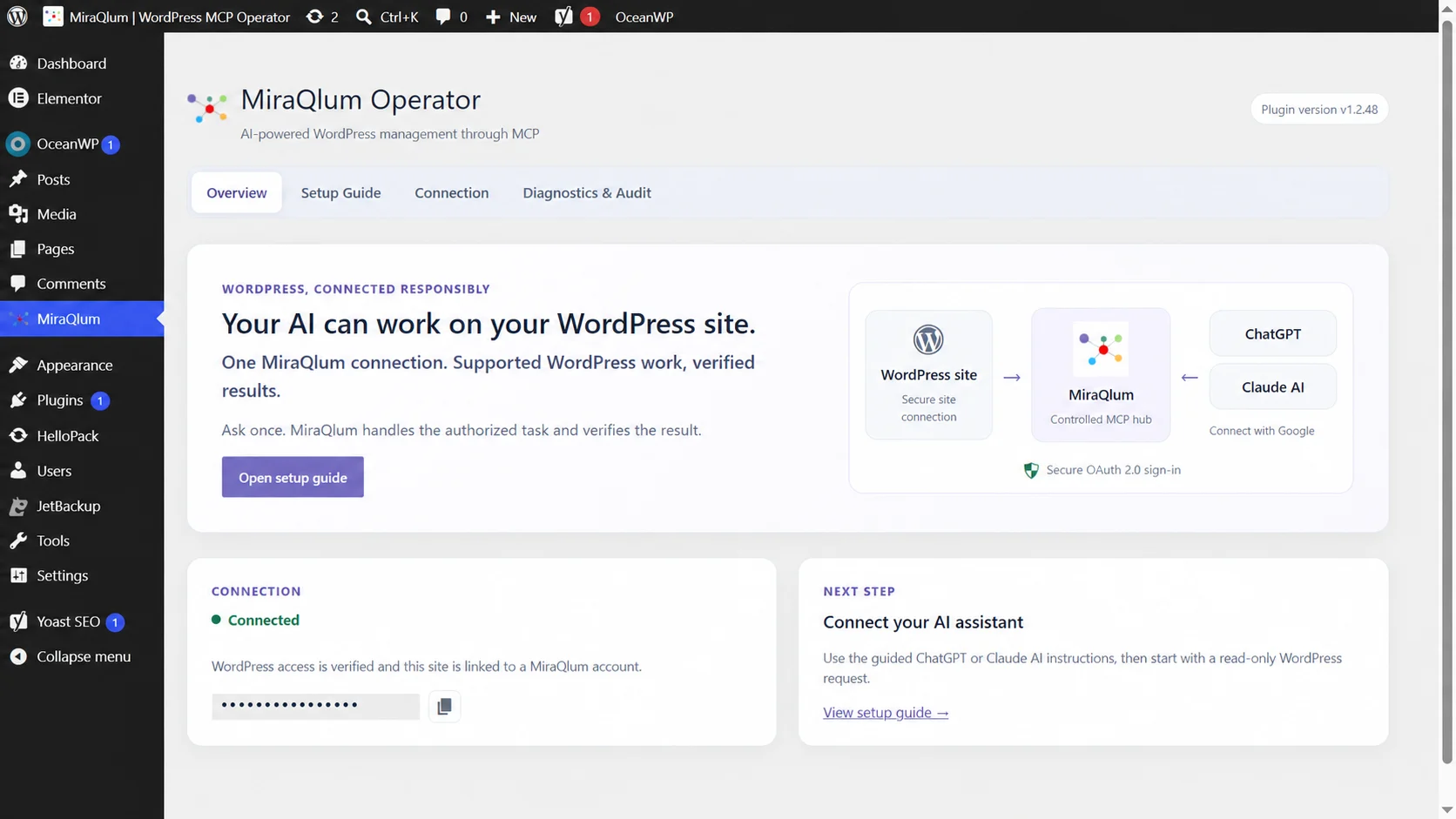
Connect your WordPress site to ChatGPT or another supported assistant
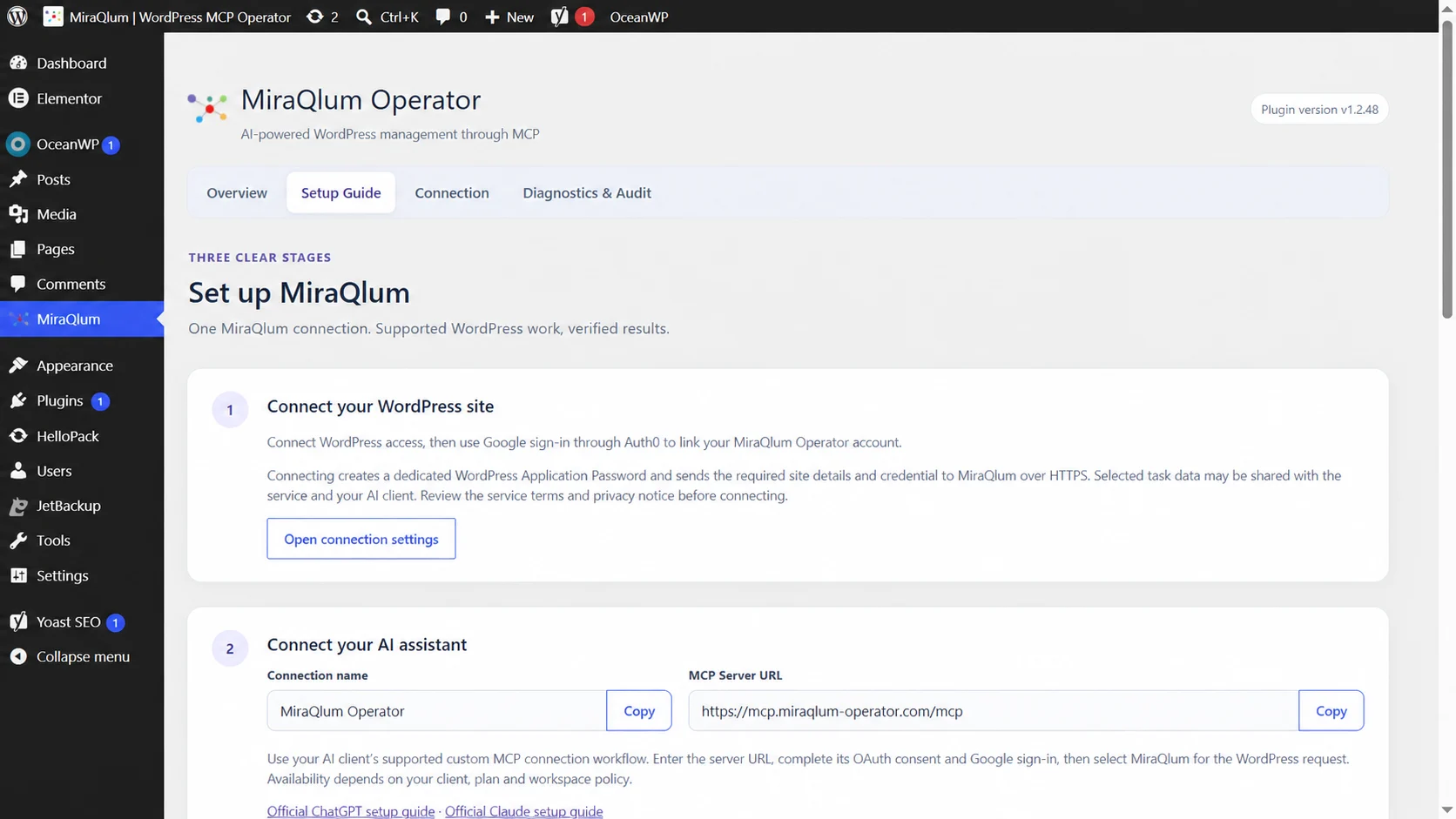
The Setup Guide starts with WordPress access and the current Google sign-in flow for MiraQlum. It then provides the MCP connection name and server address for the supported custom connection process in your AI client. The first sample request asks for a read-only WordPress page list.
1. Connect WordPress
Link an authorized WordPress website to your MiraQlum account.
2. Connect your AI
Use the MiraQlum MCP connection in a supported AI client.
3. Try a safe task
List pages or inspect the site before making changes.
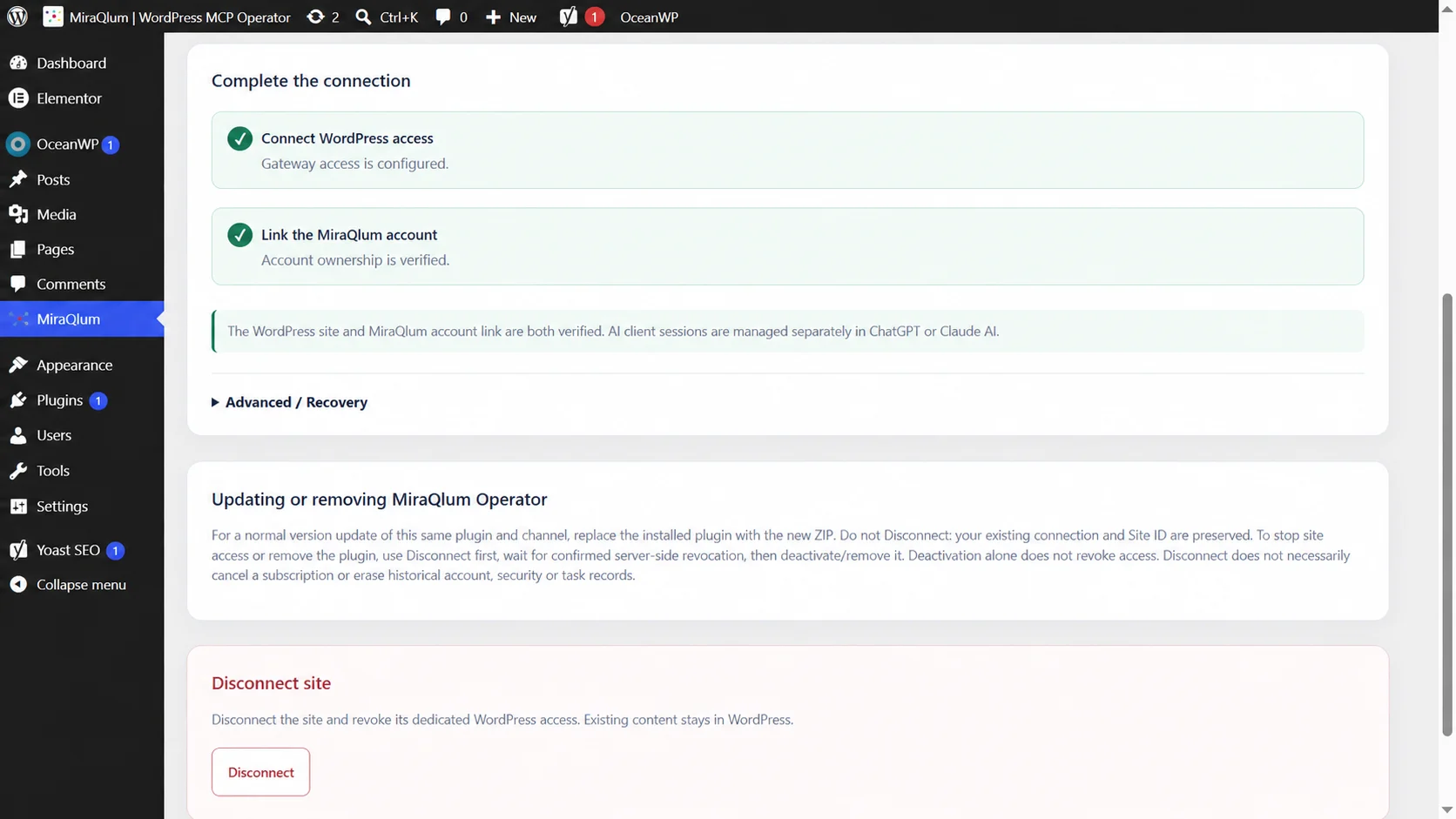
Clear connection status and site ownership
The Connection screen shows whether WordPress access and the account link have been verified. This matters when an agency or site owner works across several WordPress installations. MiraQlum uses the selected site and its available permissions for the requested work.
Diagnostics that help you trust the result
The Diagnostics and Audit area checks the requirements behind the connection, including HTTPS, WordPress REST access and Application Password support. The checks offer a useful starting point when an installation needs attention.
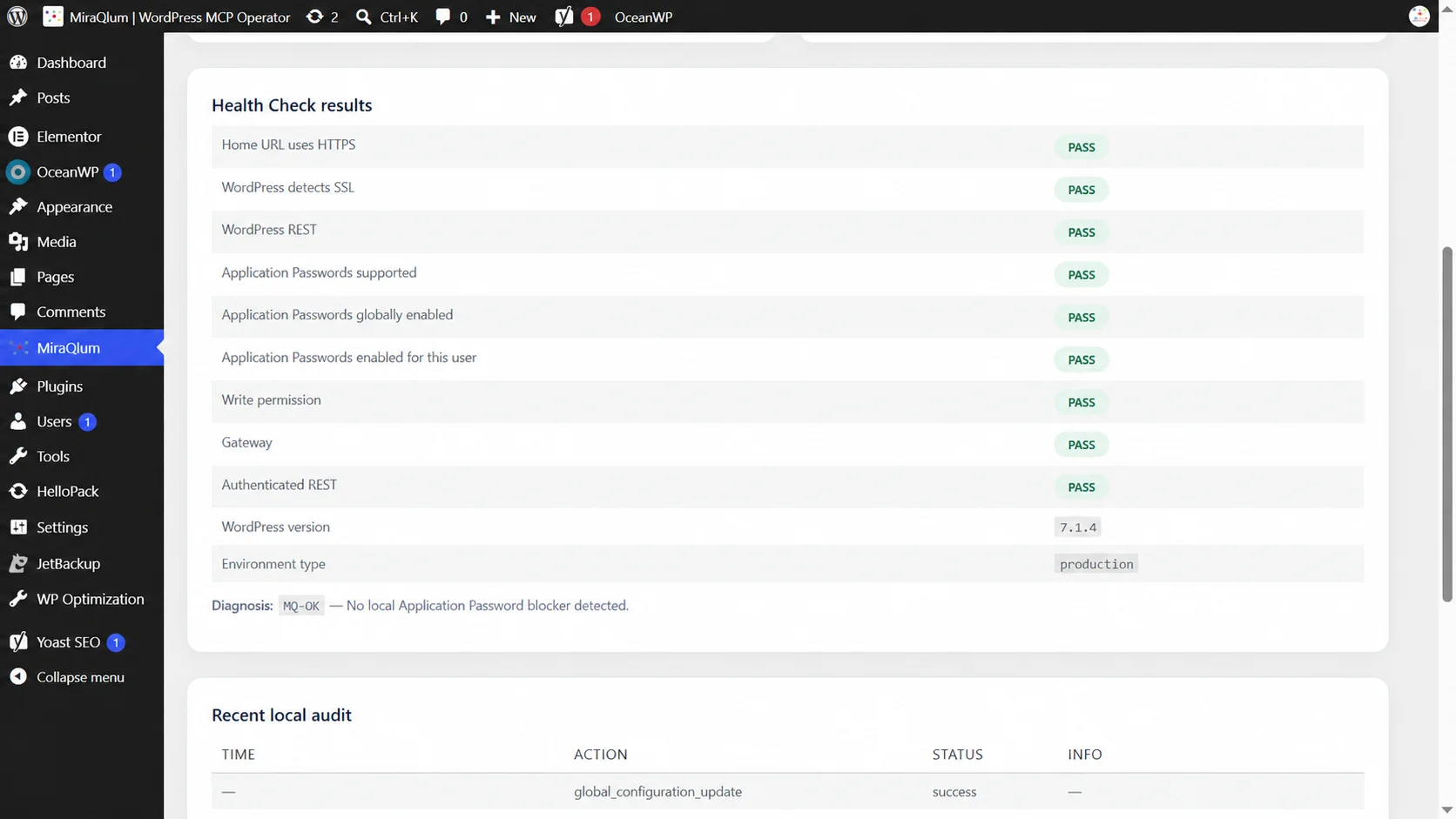
The same verification principle guides WordPress tasks. A request being accepted does not mean the final WordPress change has already been confirmed.
Real WordPress and Elementor work, with honest boundaries
MiraQlum has been tested on owner-controlled WordPress sites for selected Gutenberg content tasks, native Elementor editing, diagnostics and bounded maintenance. In a verified Elementor workflow, the saved content remained editable in the native editor after the authorized operation and WordPress readback.
Our owner-operated DEV and PROD installations run Connector version 1.2.48. Both kept their existing site connection through a normal update from 1.2.47, and real WordPress reads succeeded afterward. Supported actions vary with the actual site, its plugins and the permissions granted.
WordPress.org review and Free usage
MiraQlum Operator 1.2.48 was submitted to the WordPress.org Plugin Directory on 29 October 2026. The automated scanning result passed. Manual review is still pending, so this is not yet an approved WordPress.org directory listing.
The connector works with the separate MiraQlum hosted MCP service. An operational Free plan offers a published usage allowance and fair-use conditions. Your AI client can have separate subscription limits. Relevant service documents include our Terms, Privacy Notice and Data Processing Agreement.
Explore MiraQlum Operator and follow the development
Visit the Knowledge Base for WordPress MCP information. Our public GitHub documentation explains the product, supported workflows and release notes.
If you manage WordPress websites and want to discuss an early-use workflow, contact support@operator.miraqlum.com. We are interested in practical work and results people can inspect.